AVer offers Microsoft Teams- and Zoom-certified hardware that optimizes each platform’s unique strengths: Teams benefits from AVer’s dual lens cameras and AI-driven framing technology for integrated Microsoft 365 collaboration and advanced room layouts, while Zoom harnesses AVer’s 4K sensors and Smart Composition to prioritize video clarity and simplicity. Platform-agnostic AVer’s AI video conferencing features improve meeting equity, reduce unwanted noise, and ensure reliable speaker-focused framing, making hardware the linchpin of high-quality hybrid meetings.
Hybrid work modes are well established in the modern workplace and have been supercharged with AI. According to the Microsoft 2025 Work Trend Index1, this rapid evolution is giving rise to the “Frontier Firm,” an agile company structured around on-demand intelligence and powered by hybrid teams of humans and AI agents.
In this environment, high-performance video conferencing is more critical than ever, serving as the central nervous system that keeps distributed teams connected. This shift has placed two software platforms at the forefront of virtual collaboration: Microsoft Teams and Zoom.
The choice of platform is not just about software features but also about selecting the right certified hardware that seamlessly connects the physical and digital workspace.
This is where AVer comes in. AVer provides specialized Microsoft and Zoom certified room solutions with a straightforward goal: to deliver a consistent, high-quality, and intuitive experience regardless of the software environment you select.
Let’s take a look at how AVer’s solutions are purpose-built to execute the system-specific features that drive true meeting equity and productivity.
Are Teams and Zoom Really That Different?
The choice between Teams and Zoom often comes down to a simple question related to their fundamental platform design: Do you need an integrated suite or a dedicated tool for connecting with people?
Microsoft Teams: The Integrated Collaboration Suite
Teams is best understood as a central hub within the larger Microsoft 365 (M365) ecosystem. Its primary strength is its deep and native compatibility with the tools many organizations already use, such as Outlook for scheduling and SharePoint or OneDrive for file management.
Hardware focus:
The Teams Rooms experience is about bringing a complete, integrated digital workspace into the physical meeting room. This requires cameras and audio devices that are intelligent enough to accommodate advanced layouts and manage complex, collaborative functions (like proximity join2), making the hardware tech work seamlessly in the M365 workflow.
Zoom: The Video-First Specialist
Zoom built its reputation on a different foundation: delivering exceptionally reliable, high-quality video performance with a focus on simplicity. It was designed from the ground up as a video communication platform, and this focus remains its core strength. That said, Zoom also offers Zoom Workplace, an AI-powered collaboration suite that unifies chat, meetings, and document sharing into a single experience.
Hardware focus:
Zoom’s architecture is valued for its broad support across different operating systems. This makes it highly effective for connecting with clients, partners, and vendors outside of your organization. Zoom’s video-first philosophy demands cameras with exceptional optical clarity, 4K resolution, and onboard intelligence to process video for advanced visual features. The hardware should be robust and reliable to deliver a frictionless, training-free user experience that prioritizes video quality.
Features Showdown: Collaboration, Quality, and Scale
While both platforms are highly rated, their feature sets are designed for slightly different priorities.
| Feature |
Microsoft Teams (Integrated Suite) |
Zoom (Dedicated Video Platform) |
| Integrated collaboration hub. A central part of the M365 ecosystem. |
Dedicated video communication. Built for maximum reliability and simplicity. |
| Deep, native compatibility with M365 (Outlook, SharePoint). |
Highly reliable, high-quality video, especially over variable networks. |
| Robust, persistent chat channels. Conversations and files (co-editing M365 docs) exist before, during, and after the meeting. |
Meeting-centric chat. Primarily focused on communication during the active meeting session. |
| Full HD capable, but generally requires a more stable, high-bandwidth connection for best performance. |
Established reputation for reliable, high-quality video performance with wide system support. |
| Town hall/live events — best suited for structured internal organizational broadcasts (e.g., all-hands meetings). |
Webinars/events — specialized for large audiences (e.g., higher education, marketing events, and public conferences). |
| Copilot — deeply embedded across M365 (summarizes meetings, chats, and documents). Often tied to premium M365 licensing. |
AI Companion — offers powerful meeting summaries and action item generation. Often included with paid licenses. |
Ultimately, a communication platform can only be as good as the physical equipment running it. The AVer devices that are Teams or Zoom certified are validated to support the most powerful native software features.
Optimizing the Teams Rooms Experience
To support the collaborative nature of Teams, AVer’s hardware automates the camera work necessary for complex Teams layouts. For instance, the Microsoft Teams certified AVer CAM550 and CAM570 professional conference cameras have dual lens technology as a primary differentiator — that is, a second, fixed AI lens provides a constant panoramic view of the room.
This enables the Dynamic Framing feature to instantly detect new people walking in and signal the main PTZ lens to re-frame the group, all without manual intervention. In doing so, certified hardware intelligence ensures that advanced Teams layouts can be accommodated so everyone is seen equally. The system also prevents the “digital whiplash” of manual control and keeps the camera aware of the room’s full context.
For a more personal and collaborative group Teams call experience, the AVer VC520 Pro3 was among the first video conferencing system in the industry to sport a Smart Composition function. This automatically frames everyone on the call, instantly creating a view that smoothly blends individual headshots and half-body views.
Enhancing the Zoom Rooms Experience
With onboard intelligence to run advanced visual features, AVer cameras advance Zoom’s video-first philosophy. Zoom’s Smart Gallery, which displays in-room participants as individual video feeds, relies on high-resolution cameras and smart AI. AVer devices like the AVer CAM520 Pro3 use their Full HD sensor and Smart Composition capability to execute this perfectly, digitally cropping participants into individual feeds for greater meeting equity.
For any meeting room supporting diverse participants using various hardware and software, the AVer VB370A video bar and CP10 G2 controller are purpose-built for Zoom. The VB370A is an all-in-one unit with a 14-microphone array, powerful stereo sound, and intelligent voice tracking. The CP10 G2 controller simplifies the user experience with a single-cable PoE+ connection (reducing clutter) and an antibacterial, anti-fingerprint screen, a practical consideration for any high-traffic meeting room.
While some hardware features are optimized for Teams or Zoom, AVer’s core AI operates “under the hood” to improve the call for everyone, regardless of the platform used.
For example, AVer’s SmartFrame automatically finds and frames participants at distances up to seven meters, so meetings start smoothly with no need for manual remote control tweaks.
Meanwhile, Audio Fence technology uses a microphone array to create a defined audio zone that actively suppresses unwanted noise from outside the meeting area, such as hallway conversations or keyboard typing.
What’s more, Voice Tracking uses a built-in audio sensor to physically follow the active speaker’s voice from up to 10 meters away, keeping the camera view focused on the person who is speaking.
The Upshot: The Right Software, The Right Hardware
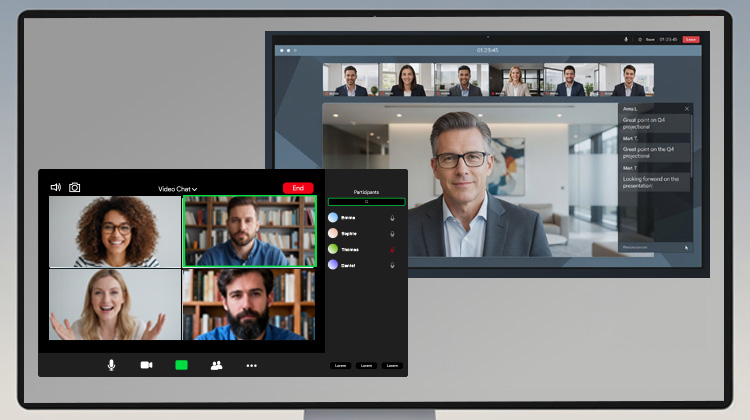
Both Microsoft Teams and Zoom offer professional, enterprise-grade meeting experiences. The success of your hybrid work model rests on the hardware backbone supporting the software. The camera and audio gear in the room play a crucial part in determining the clarity of the call, the fairness for remote participants, and the seamlessness of starting a meeting.
AVer provides the essential link, offering high-performance, certified hardware that delivers a professional experience either way. With premium optics, advanced AI functions, and industry-leading service, AVer delivers the superior execution that hybrid collaboration demands.
Frequently Asked Questions
How does AVer ensure native feature support for Microsoft Teams and Zoom?
Certain AVer AI audio-video solutions have obtained official Microsoft Teams Certification and Zoom Certification. These implement platform-specific firmware and integrations so native features run reliably out of the box.
What camera technologies enable Teams’ advanced room layouts?
Dual‑lens designs (PTZ + fixed panoramic AI lens), Dynamic Framing, and Smart Composition provide continuous room context and automatic reframing for complex Teams layouts.
How does AVer deliver Zoom’s video-first experience?
4K sensors, onboard AI for Smart Composition, and optimized video processing create clear individual feeds and reliable visual performance for Zoom features.
What audio features improve meeting equity across platforms?
Audio Fence to suppress external noise, multi‑microphone arrays for even pickup, and Voice Tracking to follow active speakers ensure remote participants are heard clearly.
Are AVer features platform-agnostic?
Some functions are tuned to each platform, while core AI features (e.g., SmartFrame, Audio Fence, Voice Tracking) work across Teams and Zoom.
Notes
“Microsoft 2025 Annual Work Trend Index.” 2025. Microsoft 2025 Annual Work Trend Index. May 9, 2025. https://news.microsoft.com/annual-work-trend-index-2025/.
Proximity Join is a feature in Microsoft Teams that allows users to quickly join a meeting by automatically detecting nearby Teams Rooms using Bluetooth or ultrasound technology.