Anyone searching for an auto tracking PTZ camera is usually standing at one of three different starting points. Some are evaluating equipment for a classroom, boardroom, or place of worship and need to know whether the technology can replace a human camera operator. Others are solo creators or small production teams who want professional-looking footage without hiring a videographer. A third group works in dance studios, skating rinks, gymnastics gyms, or theaters, where the camera needs to follow a performer through continuous, moderate-speed movement rather than sit still on a fixed subject.
This guide pulls all three perspectives together. Instead of treating auto tracking as one generic feature, it walks through how auto tracking technology actually works, where it performs well, where it struggles, and what to check before committing to a purchase.
What Is an Auto Tracking PTZ Camera?
A PTZ camera is a pan, tilt, and zoom camera that can be repositioned remotely, either by a human operator using a controller or automatically through software. An auto tracking PTZ camera — also commonly described as an AI auto tracking camera, an Auto-Tracking Camera, or one of several Auto Tracking Cameras used in professional AV environments — adds a layer of artificial intelligence on top of that hardware. Instead of waiting for someone to move the camera, the system detects a person or object in the frame and adjusts pan, tilt, and zoom in real time to keep that subject centered and properly framed.
This is different from a fixed wide-angle camera that simply captures everything in its field of view. It is also different from a manually operated PTZ camera, where a technician sits at a joystick controller for the entire session. Auto tracking sits in between: the hardware is the same PTZ camera used in traditional broadcast and AV setups, but the operation is automated.
The technology matters because it removes a recurring labor cost. A classroom does not need a dedicated camera operator every time a lecture is recorded. A solo streamer does not need a second person behind the camera. A dance studio does not need staff pulled away from teaching to film a rehearsal. In each case, the appeal is the same: consistent, hands-free video capture.
Industry consultant takeaway: before comparing specific cameras, define what "automated" needs to mean for your use case. A conference room only needs the camera to follow whoever is speaking. A dance studio needs it to follow continuous movement across a wide floor. Those are different technical challenges even though both fall under the same product category.
How Auto Tracking Technology Works
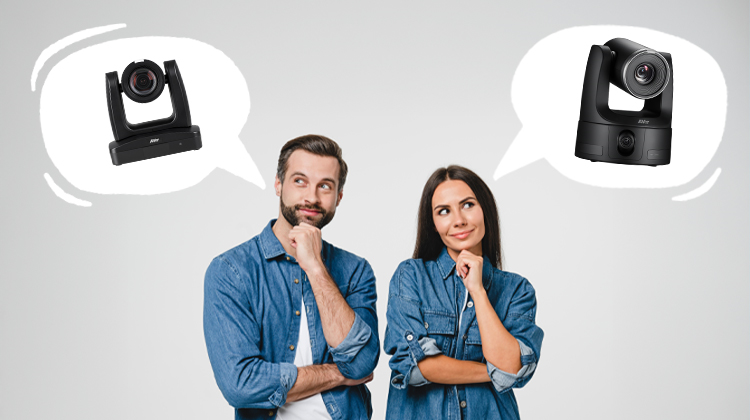
Most auto tracking cameras rely on a combination of computer vision and predictive movement logic. Understanding the basic mechanics and different tracking methods helps explain why performance varies so much between use cases.
Subject detection is the first step. The camera identifies a person, typically through face detection, body/shape detection, or a combination of both. Face-based detection tends to be more precise for stationary or slow-moving subjects, such as a presenter standing at a podium. Body-based detection is generally more reliable for continuous movement, since the system does not lose the subject the moment a face turns away from the lens.
Framing logic determines how the camera keeps the subject positioned in the shot. Most systems use a defined region of interest, sometimes called a framing zone, and the camera only moves once the subject drifts toward the edge of that zone. This prevents the picture from jittering every time someone shifts their weight slightly.
Movement prediction is where systems start to diverge in quality. Basic tracking reacts to where the subject currently is. More advanced tracking anticipates where the subject is about to be, which produces smoother pans instead of a delayed, jerky correction. This becomes especially important for subjects that move in curves or spins rather than straight lines.
Zoom stability is a related and often underappreciated challenge. As a subject moves closer to or farther from the lens, the camera has to zoom in real time without overcorrecting; this framing behavior is separate from digital zoom, which enlarges part of an image rather than changing the lens’s physical focal length. Poorly tuned systems will hunt, zooming in and out repeatedly as they try to lock onto the correct framing.
Multi-person and re-identification logic comes into play whenever more than one person is in frame. The camera needs rules for deciding who to follow, whether that is the loudest speaker in a meeting, the first person detected, or a manually assigned primary subject. Some systems can also re-identify a subject who temporarily leaves and re-enters the frame, rather than treating them as a new, unranked target.
Industry consultant takeaway: when comparing spec sheets, look past the marketing phrase "AI-powered tracking" and ask three specific questions: does it use face detection, body detection, or both; does it predict movement or only react to it; and how does it handle more than one person in frame. These three answers explain most of the performance differences you will encounter in real-world testing.
Key Features to Know Before You Buy
Beyond the core tracking engine, a handful of features determine whether a camera fits a specific environment.
| Feature |
Who It Matters Most To |
What It Affects |
| Broadcast, live streaming, education |
Image clarity, especially when zoomed in |
| Enterprise AV teams, streamers using OBS or Zoom |
How the camera integrates with existing software and hardware |
| Large venues, gymnasiums, stages |
How large an area the camera can cover before losing the subject |
| Performing arts, sports, walking presenters |
Whether the frame leaves natural space in the direction of movement |
| Panel discussions, group rehearsals, interviews |
Whether the camera can widen out to include several subjects |
| Outdoor events, stadiums, exterior installations |
Weatherproofing and lens performance in variable light |
| All use cases, especially live production |
Manual override options when automation is not enough |
Connectivity deserves particular attention for two of the three groups covered here. Enterprise buyers usually need NDI or SDI support to integrate with existing broadcast and conferencing infrastructure; an NDI PTZ camera can simplify networked production workflows, while an NDI HX PTZ camera may be a practical option where bandwidth efficiency matters. Solo creators and small production teams are more often looking for USB or NDI compatibility with common software like OBS, Zoom, or a streaming platform’s native app. For those workflows, reliable IP camera streaming and straightforward USB connectivity can matter as much as the tracking feature itself. If a camera cannot talk to the software you already use, none of its tracking capability matters.
Industry consultant takeaway: build a short checklist before shopping. List the software and hardware you already have (conferencing platform, streaming software, existing cameras or switchers), the size of the space the camera needs to cover, and whether the environment is indoor, outdoor, or both. Filter every camera against that list before comparing tracking quality.
Good Tracking vs Bad Tracking
Not all auto tracking performs the same, and the difference is usually visible within the first few minutes of testing.
Signs of weaker tracking systems include jerky starts and stops, where the camera lags behind the subject and then snaps into position; subject hunting, where the frame drifts or searches when the subject briefly leaves the detection zone; and lost lock, where the camera fails to reacquire the subject after an occlusion, such as someone walking briefly out of frame.
Signs of stronger, more advanced tracking include smooth, curved pans that anticipate direction rather than reacting to it, sometimes described as S-curve motion; dead-zone logic that avoids unnecessary micro-adjustments during small, natural movements; and reliable re-identification that allows the camera to correctly resume tracking the right subject after a brief interruption.
This distinction matters most for the groups whose subjects move continuously rather than staying largely stationary. A presenter standing at a podium is a relatively easy tracking target. A dancer moving through a turn, a skater gliding across a rink, or a gymnast moving fluidly across a floor routine puts far more strain on the prediction and zoom-stability systems described earlier. Cameras that work well for a static speaker do not automatically perform well for continuous, curved movement, so evaluating tracking quality against your actual subject's movement pattern is more useful than trusting a general "auto tracking" label.
Industry consultant takeaway: ask any vendor for footage or a live demo using movement similar to your own use case, not a generic demo of someone walking in a straight line across a stage. A camera that looks smooth tracking a walking presenter can still stutter on a spinning subject.
Real-World Applications Across Industries
Education, Corporate, and Institutional Use
Schools and universities use auto tracking cameras to record lectures without dedicating staff to operate equipment every session. Corporate teams use them to automatically follow whoever is speaking in a meeting room, which has become especially common in hybrid meeting setups. Churches and other venues with limited technical staff use auto tracking to livestream services without training a rotating group of volunteers on manual camera operation. Healthcare and government training facilities use similar setups to record procedures and sessions for later review.
For this group, the recurring information need is reliability at scale. A single classroom malfunction is an inconvenience; a livestream failure during a service or a board meeting is a visible problem. Before committing budget, it is worth building a short vendor comparison covering tracking reliability, required software or server infrastructure, licensing or subscription costs, and total cost of ownership over several years rather than just the up-front hardware price. Many manufacturers offer trial periods, and requesting one before a full rollout is a reasonable step for any organization evaluating multiple classrooms or rooms at once.
Solo Creators and Live Streaming
Independent YouTubers, Twitch streamers, fitness instructors, and small production teams represent a different use case entirely, often looking for a dependable live streaming camera that can create polished footage without adding a dedicated operator. Budget matters more here, and the camera typically needs to integrate directly with existing streaming software rather than enterprise AV infrastructure.
The two most common concerns in this group are compatibility and framing quality. Compatibility means confirming the camera works with the software already in use, whether that is OBS, Zoom, or a platform-specific streaming app, and whether it connects over USB, HDMI, or NDI. Framing quality means checking whether the tracking looks natural on camera or whether it produces visible jumps and zoom adjustments that distract from the content itself.
A practical next step for this group is comparing entry-level and mid-tier camera lines side by side, since the price difference between them is often tied directly to tracking sophistication rather than resolution alone. Watching unboxing and real-use review footage, rather than relying on manufacturer demo reels, is one of the more reliable ways to judge how a camera performs outside of ideal conditions.
Performing Arts and Moderate-Movement Activities
Dance studios, figure skating clubs, gymnastics gyms, martial arts schools, and theater or rehearsal spaces represent a use case that sits between the other two. The movement is not stationary like a seated speaker, but it is also not the extreme, unpredictable speed of contact sports. Ballet turns, skating glides, floor routines, and choreographed stage movement tend to follow more continuous, curved paths at a moderate pace.
This is precisely the scenario where the difference between basic and advanced tracking logic described earlier becomes most visible. A camera with strong movement prediction and smooth zoom handling can follow a dancer through a turn or a skater through a glide without the frame lagging or overcorrecting. A camera without that capability will visibly struggle, producing stuttering pans that make the footage difficult to review for coaching or performance analysis.
Studios and instructors in this category are usually recording for one of two reasons: self-review, where students or athletes watch their own technique back, or documentation, where a full routine or rehearsal is preserved for later use. Both purposes depend on smooth, watchable footage rather than raw coverage, which makes tracking smoothness a higher priority than raw tracking speed for this group specifically.
A sensible evaluation step here is to request or find footage of a camera tracking a subject with continuous, curved movement rather than someone walking in a straight line, since that movement pattern is a closer match to dance, skating, or gymnastics than a typical office demo video. Group settings, such as a full dance class or a duet skating routine, add another layer of complexity, since the camera needs clear logic for which subject to prioritize when more than one person is moving at once.
Where Auto Tracking Is Not the Right Choice
Auto tracking is not a universal replacement for a human camera operator, and being upfront about its limits is more useful than pretending the technology handles everything equally well.
Fast, unpredictable, multi-directional movement is the clearest limitation. Sports involving sudden sprints, rapid direction changes, and close physical contact between multiple players push tracking systems beyond what current prediction algorithms handle smoothly. This is different from the moderate, more continuous movement seen in dance or figure skating, where the path is largely predictable even if the pace varies.
Large group scenes with multiple simultaneous points of interest, such as a full ensemble stage performance or a crowded discussion panel, can also overwhelm single-subject tracking logic, since the camera has to constantly decide who to prioritize.
Complex or rapidly changing lighting, such as a concert with moving stage lights, can interfere with the computer vision systems that detection relies on, leading to lost tracking or incorrect framing.
Finally, any production that depends on deliberate, creative camera work, such as intentional slow pans, dramatic reveals, or stylistic framing choices, is better served by a human operator, since automated systems are built to keep a subject centered and well framed rather than to make artistic decisions.
Recognizing these boundaries early prevents a costly mismatch between the camera and the environment it is meant to serve.
How to Choose the Right Auto Tracking PTZ Camera
Bringing the previous sections together, a structured evaluation process looks like this.
First, define the movement pattern of your primary subject. A seated speaker, a walking presenter, and a spinning dancer each require different levels of tracking sophistication, and matching the camera to the correct category prevents overpaying for capability you do not need, or underbuying for a scenario the camera cannot actually handle.
Second, confirm software and hardware compatibility. Enterprise buyers should check for NDI, SDI, or PoE support and confirm compatibility with existing conferencing or broadcast systems. Individual creators should confirm USB, HDMI, or NDI support alongside whatever streaming software they already use.
Third, evaluate the space itself, including square footage, indoor or outdoor conditions, and lighting variability, since these factors directly affect both tracking range and detection reliability.
Fourth, request a trial period or real-use demo footage rather than relying solely on manufacturer specifications, particularly if your use case involves continuous or curved movement rather than a stationary subject.
Fifth, calculate total cost of ownership rather than comparing hardware price alone, factoring in any required software licensing, server infrastructure, or subscription costs over a multi-year period.
Conclusion
An auto tracking PTZ camera is not a single, uniform product category. The right choice depends heavily on who the subject is, how they move, and what infrastructure the camera needs to connect with. Enterprise buyers should prioritize reliability, integration, and total cost of ownership. Solo creators should prioritize software compatibility and framing quality within their budget. Studios, coaches, and performance venues working with continuous, moderate-speed movement should prioritize smooth movement prediction and zoom stability over raw tracking speed.
Testing a camera against footage or a demo that actually reflects your subject's movement pattern remains the most reliable way to avoid a mismatch between expectations and real-world performance. Once that fit is confirmed, the remaining decision usually comes down to connectivity, budget, and the level of ongoing support or licensing your environment requires.
Frequently Asked Questions
Can an auto tracking PTZ camera fully replace a human camera operator?
In many stationary or moderately mobile scenarios, yes. For fast, unpredictable, multi-subject environments, a human operator or a hybrid setup with manual override remains more reliable.
Does auto tracking work well for group settings?
It depends on the system's multi-person framing logic. Some cameras can widen the frame to include several subjects, while others are designed to follow a single primary subject and may struggle when several people move independently.
Is auto tracking suitable for dance, skating, or gymnastics recording?
Cameras with strong movement prediction and zoom stability generally handle this well, since the movement, while continuous, tends to follow a predictable path. Basic tracking systems built primarily for stationary speakers may struggle with turns and continuous motion.
What connectivity should I look for?
Enterprise and broadcast environments typically need NDI or SDI support, while individual creators usually prioritize USB or NDI compatibility with common streaming software.
Do these cameras require a subscription?
This varies by manufacturer. Some auto tracking systems are fully self-contained in the camera hardware, while others rely on separate tracking software or a server that may involve licensing costs.
References
- Installation International. "Studies Reveal Importance of New Tech in the Hybrid Workplace." https://www.installation-international.com/business/advertorial/studies-reveal-importance-of-new-tech-in-the-hybrid-workplace.
- NDI. "NDI – Removing the Limits of Video Connectivity." https://ndi.video/.
- Verkada. "What Is a PTZ Camera? Pan-Tilt-Zoom Security Cameras Explained." https://www.verkada.com/blog/what-is-a-ptz-camera-pan-tilt-zoom/.
- viso.ai. 2025. "Revolutionizing Face Detection with AI & CNN Technology." June 25, 2025. https://viso.ai/deep-learning/face-detection-overview/.
- Voelkel, Susanne, Andy Bates, Terry Gleave, Carl Larsen, Elliott J. Stollar, Gemma Wattret, and Luciane V. Mello. 2023. "Lecture Capture Affects Student Learning Behaviour." FEBS Open Bio 13 (2): 217–32. https://doi.org/10.1002/2211-5463.13548.
- Wang, Jianren, and Yihui He. 2020. "Motion Prediction in Visual Object Tracking." arXiv. https://arxiv.org/abs/2007.01120.
- Wikipedia contributors. "Power over Ethernet." Wikipedia. https://en.wikipedia.org/wiki/Power_over_Ethernet.