Video conferencing has evolved from niche technology into a core communication layer for work, learning, and healthcare, enabling real-time, face-to-face collaboration across distance through connected cameras, audio, and software platforms. This article explains what video conferencing is, how it works, and the main types and use cases, then examines its benefits — such as accessibility, cost savings, productivity, and environmental impact — alongside challenges including technical reliability, security, digital divide, and online miscommunication, before exploring how AI-driven features and integrated collaboration tools are shaping its future.
When thinking about video conferencing, most people call to mind common face-to-face video applications used for business meetings like Microsoft Teams, Zoom, or Google Meet. Yet video conferencing encompasses many other fields and usages.
With the global video conferencing market expected to double to 19+ billion in the coming years, let’s examine this important technology. This article will go over what is video conferencing, how it’s used and the benefits and challenges that come along with it.
Definition
Video conferencing, sometimes referred to as a virtual meeting, online meeting or web conferencing, is the real-time transmission of video and audio data over the internet or other communication network. This allows participants no matter where they are in the world to see, hear and talk to each other.
Video conferencing typically requires hardware such as cameras, microphones, and speakers provided on most basic PCs. It also requires video conferencing software platforms such as Microsoft Teams, Zoom, or Google Meet.
Basic History and Evolution
There were many attempts to bring video conferencing to life throughout the 20th century but most of those early technologies fell flat. It wasn’t until the 1990s, well into the age of home PCs, that video conferencing software really began to take hold.
The 1990s saw the first software, CU-SeeMe, which was video-only and in 16-bit grayscale. This was soon followed by instant messaging apps (AIM, MSN) and industry-specific video conferencing systems (NetMeeting, VRVS).
It wasn’t until the late 2000s with the widespread use of smartphones and 3G/4G technology, where Skype and other players made video conferencing popular for both business and personal communication. In the 2020s, the COVID-19 pandemic rapidly accelerated adoption, making video conferencing a default communication tool across nearly all industries.
How Video Conferencing Works
Video conferencing relies on a combination of basic technology and equipment to facilitate real-time communication between participants.
Having good quality video conferencing relies heavily on an internet connection with adequate bandwidth and low latency. In a traditional setup, this means two people with their internet-connected devices use an Internet Protocol (IP) to transmit data to one another. Codecs are used to compress the data in deliverable packets, allowing the two participants to chat in real-time.
The hardware setup typically includes high-definition cameras capable of capturing video at resolutions of 720p or higher. Today, 1080p is the standard baseline, with 4K video increasingly adopted in professional, medical, and Pro AV environments. Microphones often include noise-cancellation features, while speakers or high-quality headsets provide clear sound output without echo or feedback.
Types of Video Conferencing
One-on-one meetings
These meetings involve two participants or devices that communicate directly with each other. They are commonly used for informal chatting, job interviews or personal consultations.
Group meetings
Group meetings include multiple participants from various locations that need to collaborate in real-time. Most international offices or organizations rely on this type of communication.
Webinars and large-scale conferences
These are virtual events where a presenter or panel communicates with a large audience. The communication is often one-way but can sometimes include interactive Q&A sessions and larger town-hall discussions.
Hybrid meetings
Since the pandemic, hybrid meetings are commonplace, combining both in-person attendance with virtual participation. This enables more flexibility and inclusivity for participants depending on their location or other commitments.
Uses of Video Conferencing
Business and Corporate Sectors
For most companies, video conferencing is used for meetings, client interactions, interviews, and webinars. For example, a project manager in New York might schedule a video conference with team members from Tokyo to go over project updates, share their screens to present documents, and converse as if everyone were in the same room.
Education and Remote Learning
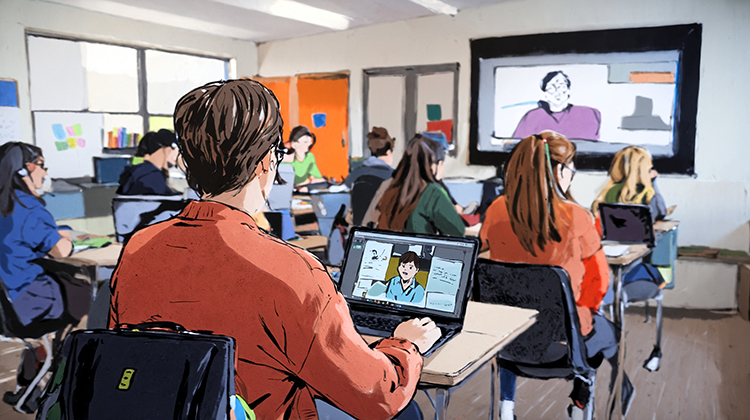
Virtual classrooms are more and more widespread, allowing students and teachers to conduct live lectures and engage in interactive discussions. For instance, a professor might use Zoom to deliver a lecture for an online course. During the session, they can present slides, use a virtual whiteboard, and allow students to ask questions in real-time.
Healthcare and Telemedicine
Healthcare providers can use video conferencing to conduct remote consultations and to evaluate and monitor patients. For example, a patient in a remote area can schedule a video appointment with their doctor, who can visually assess the patient's condition, display lab results like x-rays, and even guide the patient through self-examinations.
Social and Personal Use
Individuals nowadays connect with family and friends using video conferencing and can maintain relationships over long distances. An example might be a student studying abroad who uses FaceTime or other video chat to keep in touch with their friends and family back home.
Benefits of Video Conferencing
Convenience and Accessibility
Nowadays, colleagues scattered around the world can discuss pressing issues face-to-face. Video conferencing enables participants to attend meetings from any location with an internet connection, removing the need for travel and allowing for more flexible scheduling.
Cost-effectiveness
Travel costs, hotel bookings and renting venues for conferences can be large line items for companies trying to meet. Using video conferencing as a solution reduces such expenses, making it a more economical option for companies and individuals.
Increased Productivity and Collaboration
Video conferencing facilitates efficient project management and faster decision-making through its enhanced collaboration and real-time communication and information sharing. AI-powered features such as automatic meeting summaries, live transcription, and action-item extraction further enhance productivity.
Environmental Impact
By reducing the carbon footprint associated with travel and contributing to lower greenhouse gas emissions, video conferencing has a positive environmental impact and can be a greener option for some businesses.
Challenges of Video Conferencing
With all the benefits of video conferencing technology, comes some drawbacks as well.
Technical Issues
Meetings where participants’ video drops out, intermittent sound or audio echos can lead to lots of frustration and misunderstandings. Online video sessions can be disrupted by unstable internet connections and poor audio and video quality, highlighting the need for robust technology.
Security and privacy concerns
During the early phase of Covid, many Zoom meetings were upended by an uninvited hacker who disrupted the call. The potential for unauthorized access, data breaches, and eavesdropping during video conferences requires robust encryption and security measures.
Digital Divide and Accessibility Issues
There are still many people around the world who have limited access to high-speed internet or necessary devices, making it challenging for them to participate effectively in video conferences. Upgrading global infrastructure or investing in portable solutions can greatly improve this situation.
Online Miscommunications
Some misunderstandings are not necessarily caused by technical issues, but more from the limited view of people on screen. This highlights how understanding body language and facial expressions can avoid these kinds of issues.
The Future of Video Conferencing
Video conferencing in the years to come will likely be an even more entrenched part of our daily lives. AI is already being embedded into conferencing platforms, including speaker tracking, background noise suppression, predictive bandwidth optimization, and real-time language translation.
In addition, the integration of video conferencing software with project management tools and virtual collaboration platforms will streamline workflows and create more productive meetings.
The Big Picture for Video Conferencing
The road to seamless communication via video conferencing hasn’t been smooth and straightforward. Yet with the rise of this groundbreaking technology over the past decades, and its technical benefits becoming more and more widely adopted by businesses and consumers alike, video conferencing is set to become a global standard for daily life.
AVer has always been helping to lead the way with our multi-purpose conferencing products. With our commitment to innovation and customer satisfaction, we are dedicated to providing the best possible conferencing solutions for rooms of all sizes.
Frequently Asked Questions
What equipment is needed for video conferencing?
At minimum, users need a computing device (computer, tablet, or smartphone), a camera, microphone, speakers, and a stable internet connection. For professional environments, external PTZ cameras, dedicated microphones, and speaker systems significantly improve audio-visual quality.
What is the difference between video conferencing and video calling?
Video calling typically refers to one-on-one conversations (e.g., FaceTime), while video conferencing supports multiple participants, collaboration tools, recording, and integrations with business software.
How do we increase the security of video conferencing?
Modern platforms are generally secure when properly configured. Features such as encryption, meeting passwords, waiting rooms, and user authentication help prevent unauthorized access. Organizations handling sensitive data should ensure compliance with regulations like GDPR or HIPAA.
What are PTZ cameras and why are they important in video conferencing?
PTZ (Pan-Tilt-Zoom) cameras allow users to remotely control the camera’s direction and zoom level. This is especially useful in large rooms, classrooms, and medical environments where multiple subjects or detailed views are required.
What are common problems in video conferencing and how can they be fixed?
Common issues include poor audio, lag, and dropped connections. Users can solve this by reconnecting products, upgrading internet bandwidth, using wired connections, improving lighting, and investing in higher-quality audio and video equipment.
References